Restore / scratches
Remove Scratches from Old Photos Online
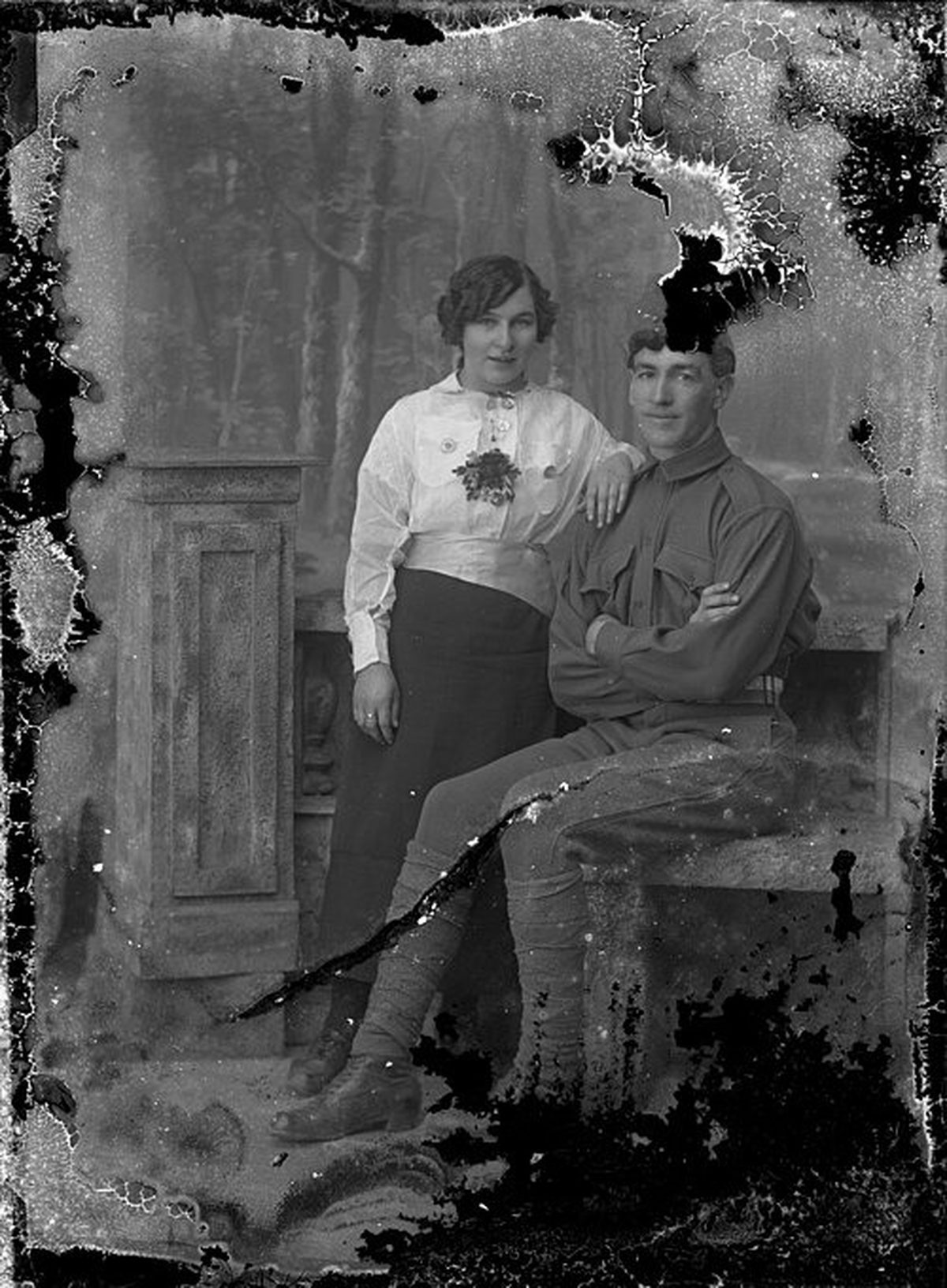
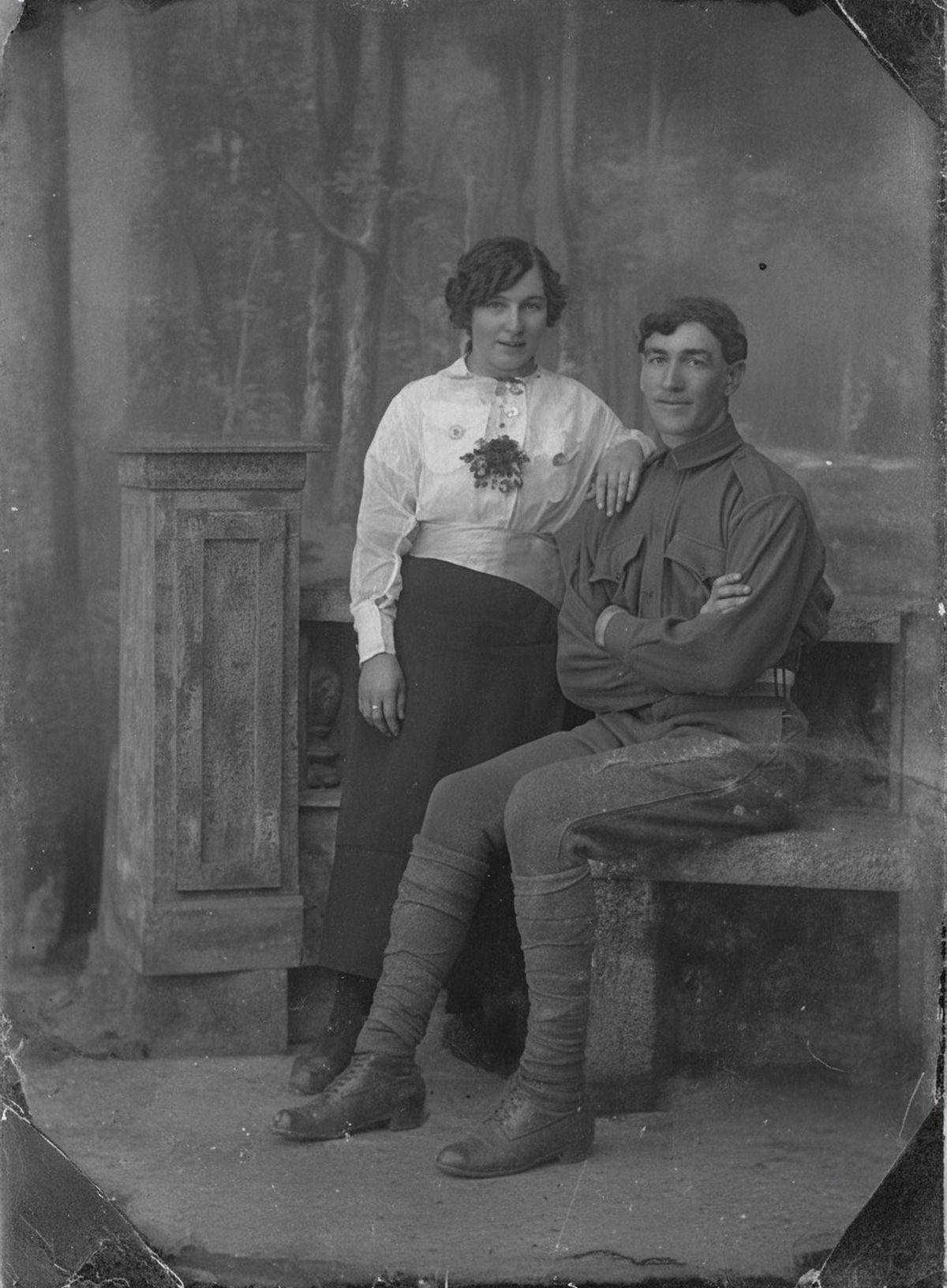
Restoration can infer continuous skin, fabric, or background across narrow marks and then balance the repaired area with nearby grain. A wide gouge through an eye contains no reliable evidence of the original feature; any filled detail is an interpretation. Keep the untouched scan beside the result.
- 3 free previews a month
- No signup
- Ready in minutes
- One payment — nothing to cancel
How it works
Upload your photo
Drop in a scan or phone photo of the damaged print. Your original is never touched, and there's no signup.
Preview it free
See the restoration beside your photo in about a minute. Drag the slider and judge it for yourself before you spend a cent.
Keep what you love
Pay only for the results worth keeping, then download them in full resolution.
Preview your photo — freeWhat to know before restoring this photograph
A scratch is a cut, and its depth decides everything. A shallow scuff only disturbs the glossy surface, scattering light into a fine track that reads as a pale line on the scan. A deep gouge cuts through the emulsion to the paper base, physically removing image the way a plow removes soil. On some prints the same cut reads dark instead, depending on how the groove catches the scanner light.
The pattern of the marks is worth reading before you fix them. Long random arcs come from handling and stacking; tight parallel sets repeated across the frame usually mean grit on a scanner bed or inside a plastic sleeve — which means your scan added them and a cleaner rescan removes them for free.
So prepare the capture: clean the scanner glass, slide the print out of its sleeve, and scan at 600 dpi. If handwriting on the back names the people, scan that side too before the print goes away.
Never try to buff a scratch out of the physical print. Rubbing works the same abrasive grit that made the mark deeper into the emulsion, and polishing a gelatin surface strips it. The repair belongs entirely in the digital copy.
Across narrow tracks, the AI infers the skin, fabric, or background that continues from either side and blends the bridge into the surrounding grain, so a thin line across a cheek or a wall closes cleanly. It repairs in context — the scratch crossing five objects gets five local repairs, not one averaged smear.
A wide gouge through an eye or mouth is the honest limit. The feature is not hidden there; it is absent, and whatever fills the gap is an interpretation built from typical features and the face around it. Compare that spot against the raw scan and against other photos of the person before you trust it.
Work iteratively when scratches share the frame with fading or stains: fix the marks first, judge the draft, then move to tone. Stacking every correction at once makes it hard to see which change altered a familiar detail.
Keep the as-found scan filed beside the repaired master with a note of where the deep gouges ran. The marks are part of the object's history even once the picture reads cleanly again.
See it work before paying anything: the free preview shows the tracks closing while faces and background hold steady. Export the version that convinces you — cost attaches only to what you take away.
Questions about restore scratched photographs
How do I get scratches off an old photo?
Scan the print cleanly, then let AI infer continuous skin, fabric, or background across the marks and blend the repair into the surrounding grain. It works best on narrow tracks where the scene around them is intact. A wide gouge straight through an eye leaves nothing to copy from, so anything filled there is an educated interpretation rather than the recovered feature.
Can it fix a scratch that runs right through someone's face?
It can smooth a thin scratch that crosses a cheek or forehead by borrowing from the skin on either side. But if the mark has torn out an eye or the shape of the mouth, that detail is genuinely gone and any replacement is a guess. Review those spots against the untouched scan before trusting them.
How much does a restoration cost?
The preview is free. Full-resolution downloads are $7.99 per photo, and the rate drops the more you restore — down to $4.49 each on the largest batches. Each photo includes up to three restoration attempts, and downloads stay available for 30 days.
Does the AI overwrite my photo?
No — it produces a separate restored image and never edits your upload. Keep the unedited scan filed on its own and give the restoration a new name so the two never get confused.
See what your photo can become
Upload it, preview the restoration free, and keep only the result that feels right.
Preview your photo — free- 3 free previews a month
- No signup
- Ready in minutes
- One payment — nothing to cancel