Restore / creases and folds
Fix Creases and Fold Lines in Old Photos
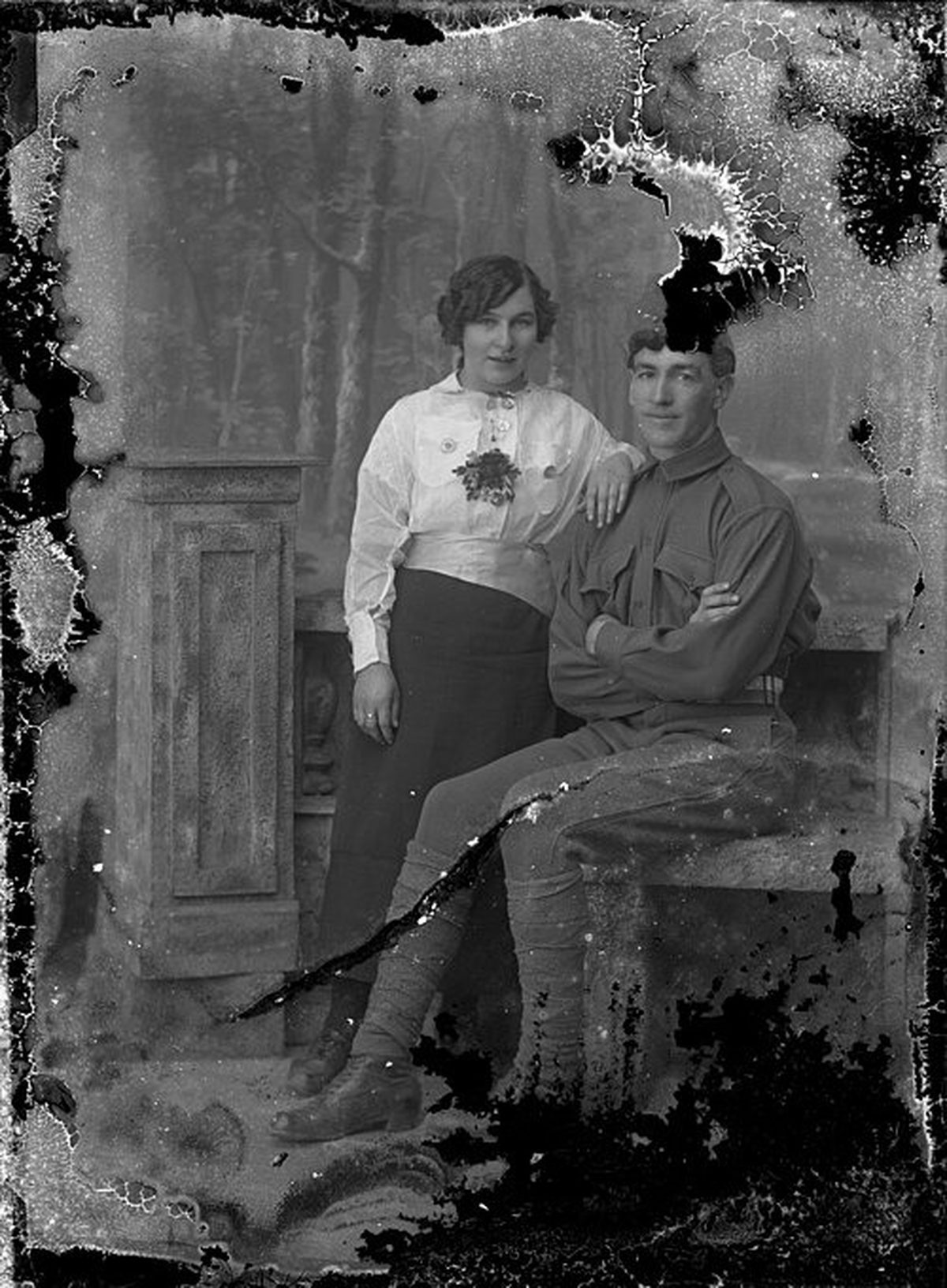
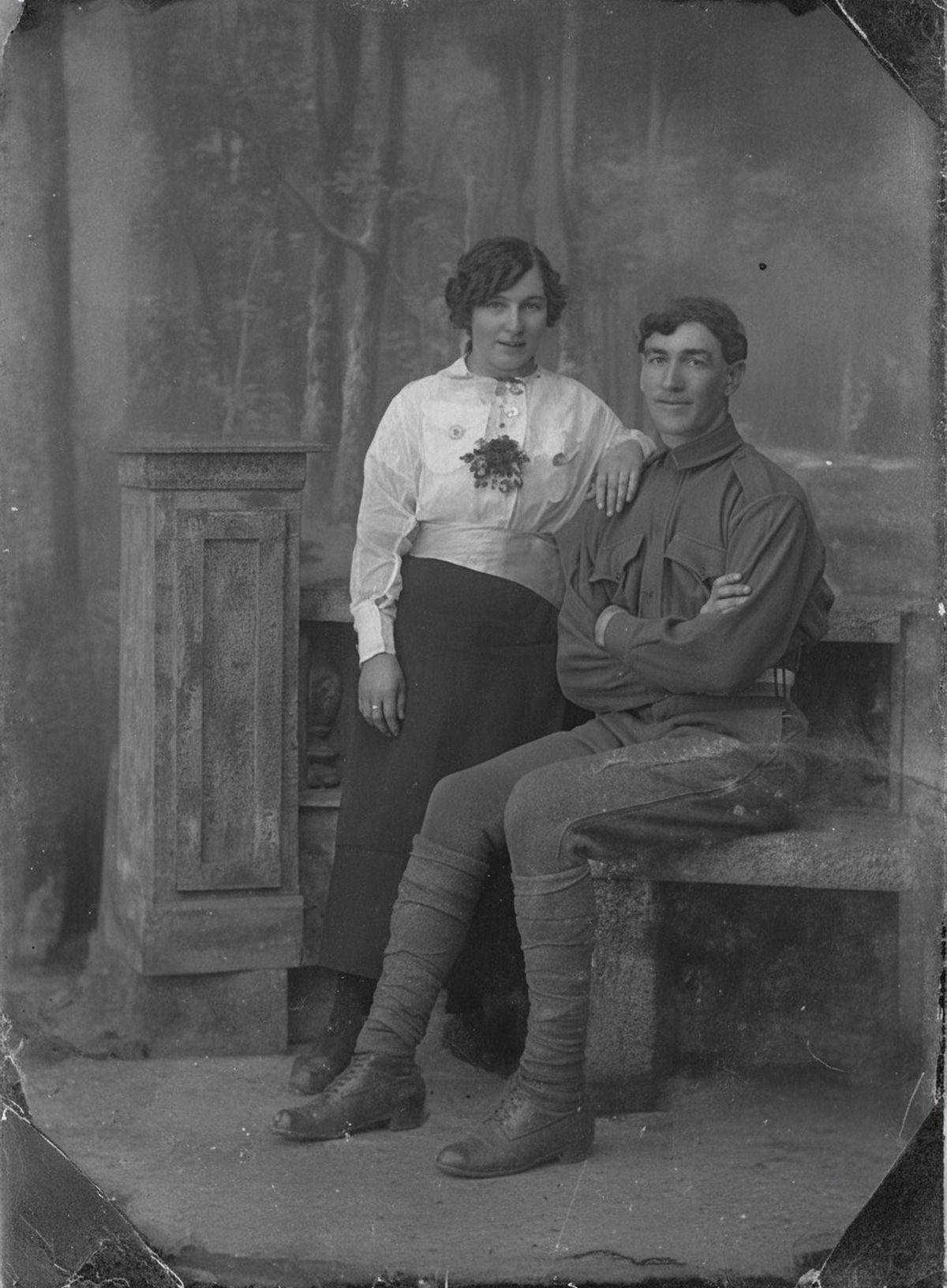
The restoration can soften light-dark fold pairs, reconnect contours, and match texture across narrow cracks while preserving surrounding grain. Deep folds that removed emulsion need invented pixels. Crossing folds over eyes, medals, or handwriting require especially cautious interpretation. Keep the untouched scan beside the result.
- 3 free previews a month
- No signup
- Ready in minutes
- One payment — nothing to cancel
How it works
Upload your photo
Drop in a scan or phone photo of the damaged print. Your original is never touched, and there's no signup.
Preview it free
See the restoration beside your photo in about a minute. Drag the slider and judge it for yourself before you spend a cent.
Keep what you love
Pay only for the results worth keeping, then download them in full resolution.
Preview your photo — freeWhat to know before restoring this photograph
A crease is not a shadow lying on top of the picture — it is a break in it. Folding a print cracks the gelatin emulsion that carries the image, so along that line the photograph is physically interrupted. The bright ridge and dark valley you see are the torn coating catching scanner light from two directions.
That is why a fold behaves differently from a stain. A stain tints detail that still exists underneath, while a crack has snapped the detail apart; a deep fold may have flaked whole flecks of emulsion away, leaving bare paper at the center of the line.
Scan the print as flat as it will comfortably sit and never force a brittle fold — decades-old gelatin snaps rather than bends. If glare rides the ridge and hides what crosses it, rotate the photo ninety degrees and scan a second time; a changed angle often reveals what the first pass buried.
Working from that capture, the restoration softens each light-dark fold pair, reconnects the contours the crack cut through, and carries texture across the line so the surrounding grain stays continuous. A single narrow crease crossing a simple area can close almost invisibly.
Deep and crossing folds are a different contract. Where emulsion flaked off, nothing survives beneath the white line, so the fill is invented pixels steered by whatever remains on either side. Across a coat or a wall that guess is usually dependable; across an eye it deserves real scrutiny.
Give crossing folds over eyes, mouths, medals, or handwriting your closest attention — these carry identity and meaning, and the rebuilt strip there is interpretation rather than recovery. Zoom into that exact region and hold it against your unedited scan before you accept the draft.
A ridge repair that looks perfect on a phone can show smearing on paper. Check the preview on a larger screen, and if the goal is a framed print, make a small test print first; fold repairs sit in exactly the areas where over-smoothing becomes visible at print scale.
File the flattened, repaired version together with the scan that still shows where every fold ran. A short note naming which creases were bridged lets a future family member read the portrait while still knowing where the paper itself had failed.
Preview the repair for free before spending anything: upload the scan and watch the ridges soften and the panels rejoin into one face. Keep it only if it convinces you next to the original — payment applies just to the versions you export.
Questions about creased and folded photographs
How do I get rid of fold lines and creases in an old photo?
Upload a scan and AI drafts a repair that softens the bright ridge-and-shadow of each fold, reconnects the lines running through it, and matches the surrounding grain. Narrow cracks blend cleanly; a deep fold that flaked the emulsion away leaves nothing to copy, so that stretch is reconstructed rather than recovered.
Will it look right if the crease runs across a face?
It can, but that's the spot to check most closely. A crease over an eye, a mouth, or handwriting means the AI is interpreting missing detail, not restoring it, so compare that area against the untouched scan before you keep it. Away from faces—across a coat, a wall, a background—repairs are usually dependable.
How much does a restoration cost?
The preview is free. Full-resolution downloads are $7.99 per photo, and the rate drops the more you restore — down to $4.49 each on the largest batches. Each photo includes up to three restoration attempts, and downloads stay available for 30 days.
Does the AI overwrite my photo?
No — it produces a separate restored image and never edits your upload. Keep the unedited scan filed on its own and give the restoration a new name so the two never get confused.
See what your photo can become
Upload it, preview the restoration free, and keep only the result that feels right.
Preview your photo — free- 3 free previews a month
- No signup
- Ready in minutes
- One payment — nothing to cancel