Restore / mold damage
Digitally Restore Mold-Damaged Photos
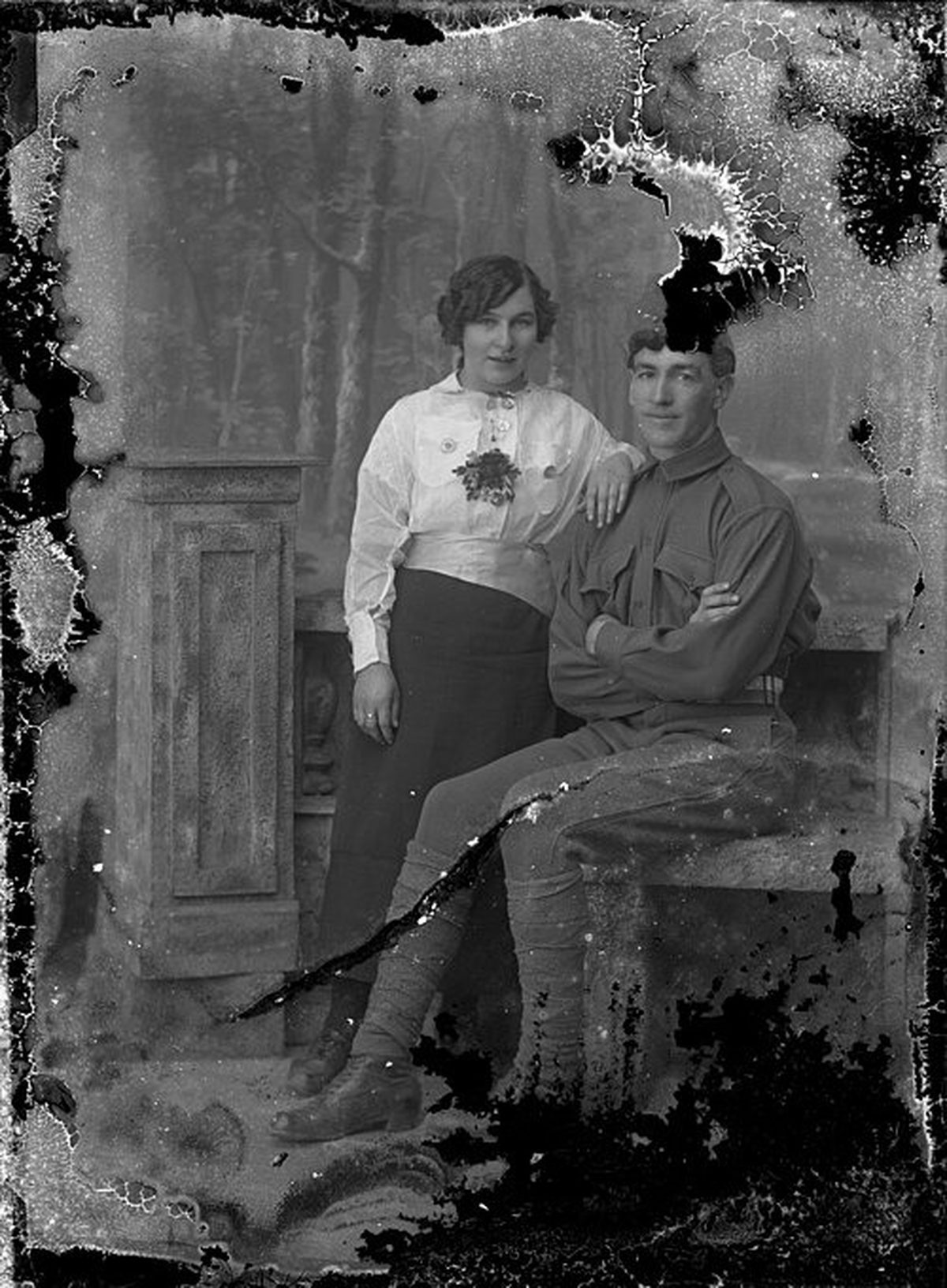
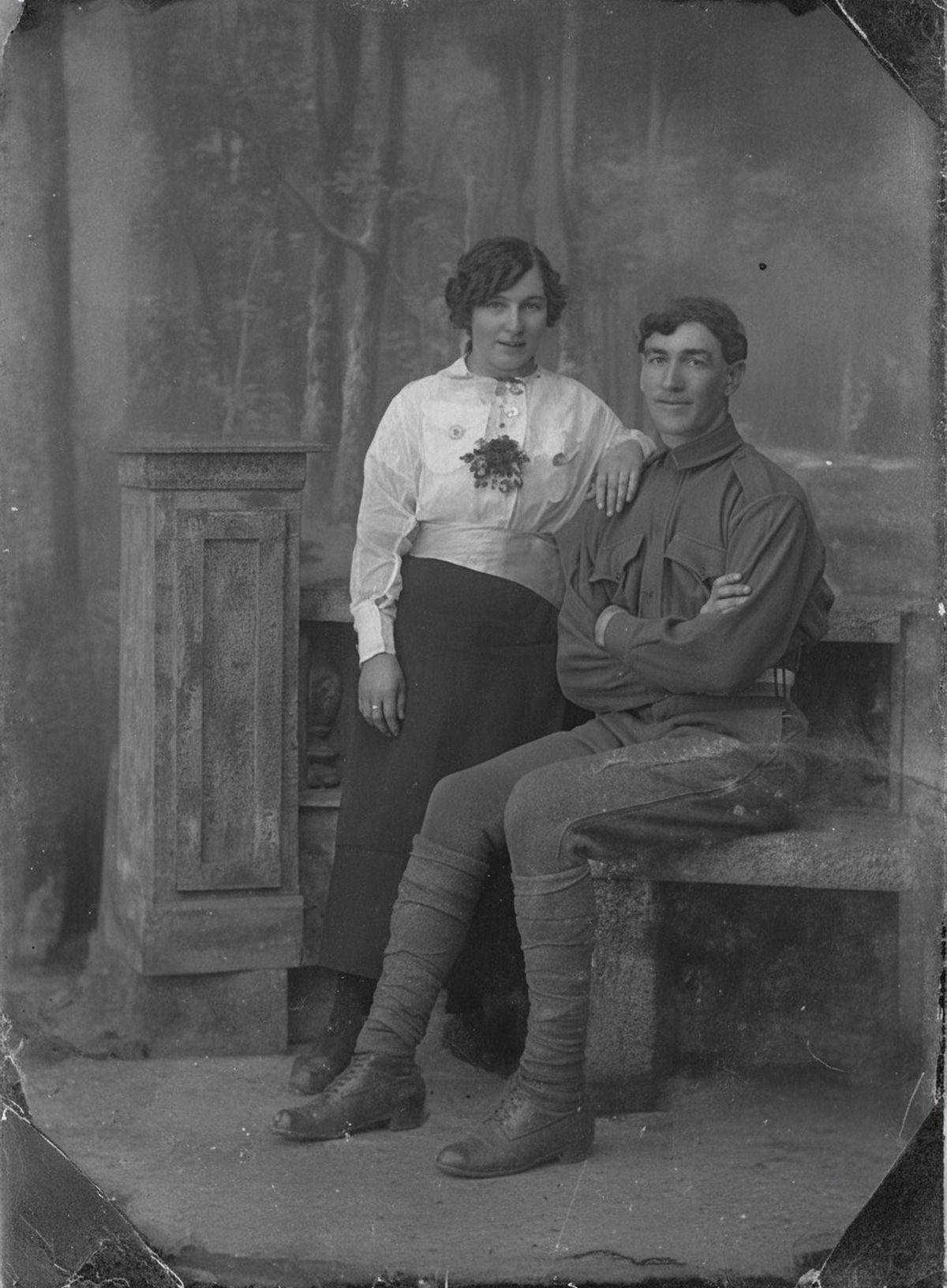
Once captured, AI can reduce colony patterns, reconnect small areas of image, and even out discoloration without further contact with the object. Large digested areas have lost image material permanently. A digital reconstruction may restore readability but cannot restore the artifact itself. Keep the untouched scan beside the result.
- 3 free previews a month
- No signup
- Ready in minutes
- One payment — nothing to cancel
How it works
Upload your photo
Drop in a scan or phone photo of the damaged print. Your original is never touched, and there's no signup.
Preview it free
See the restoration beside your photo in about a minute. Drag the slider and judge it for yourself before you spend a cent.
Keep what you love
Pay only for the results worth keeping, then download them in full resolution.
Preview your photo — freeWhat to know before restoring this photograph
Mold damages photographs by eating them. The emulsion that carries the image is gelatin — an animal protein, and food — so fungal filaments spread across the surface digesting the very layer the picture lives in. The branching spots, pale blooms, and irregular dark colonies on a stored print are biology, not dirt.
The damage arrives in two depths. A surface bloom dusts over an image that still survives underneath; a mature colony has consumed the gelatin outright, leaving softened paper and permanent image loss shaped like the growth itself. Foxing — the rust-brown freckling common on old paper — generally traces to the same mix of fungal activity and iron impurities in the sheet.
Safety comes before scanning. An actively moldy print sheds spores that spread to neighboring photos and can affect your health, so isolate it in a dry, ventilated spot away from the rest of the collection. Do not press it onto a household flatbed — that contaminates the platen and every scan after it. This is the case where a conservator's capture is genuinely worth it.
Equally important: do not brush or wipe the growth. Gelatin under a colony is softened, and wiping smears spores across the surface while abrading image that had survived.
Once a safe digital capture exists, the AI works without any further contact with the object. It reduces the colony patterns, evens out discoloration, and reconnects small interrupted areas where the image beneath stayed readable.
Where the gelatin was digested, be clear about what the repair is: the image material there is permanently gone, and the fill is an interpretation guided by what borders it. A restored file can bring back readability; nothing brings back the artifact.
Judge the draft area by area. Thin spotting over a face usually lifts with the face intact; a colony that crossed the same face leaves a rebuilt patch that deserves comparison against the capture before anyone trusts it. Treat each region on its own evidence rather than trusting the whole draft at once.
Afterward, the quarantine continues: keep the physical print isolated and dry even once its scan is safely archived, and note on the file that mold loss was reconstructed. Cool, dry storage is what stops the biology from resuming.
The preview is free to run on a safe capture, so see how much of the spotting calms before deciding. Export the versions worth keeping — that is the only paid step — and let the fragile original rest untouched.
Questions about mold-damaged photographs
Can you fix a photo that's covered in mold spots?
Once the print has been safely captured, AI can reduce the branching spots and blooms, even out discoloration, and rebuild small patches where the image is still readable underneath. Where mold has actually eaten through the emulsion, that image material is gone—the repair fills the gap plausibly rather than recovering what was lost.
Is it safe to scan a moldy photo myself?
Not on household equipment. Active mold can affect your health and spread to other photos, so the print needs isolation and, ideally, a conservator's safe capture before anything is scanned. Once you have a clean digital file, all the restoration happens on that copy and the fragile original is never handled again.
How much does a restoration cost?
The preview is free. Full-resolution downloads are $7.99 per photo, and the rate drops the more you restore — down to $4.49 each on the largest batches. Each photo includes up to three restoration attempts, and downloads stay available for 30 days.
What happens to the photo I upload?
It becomes the reference for a new restored copy and is left unchanged. Your job is to keep that original scan safe and labeled so you can always see what was real versus what the AI rebuilt.
Can I print the restored version?
Yes, if the file has enough pixels for the intended size. Inspect faces and fine details before printing, and keep the higher-resolution master separate from the print export.
See what your photo can become
Upload it, preview the restoration free, and keep only the result that feels right.
Preview your photo — free- 3 free previews a month
- No signup
- Ready in minutes
- One payment — nothing to cancel