Restore / fire and smoke damage
Restore Fire- and Smoke-Damaged Photos Online
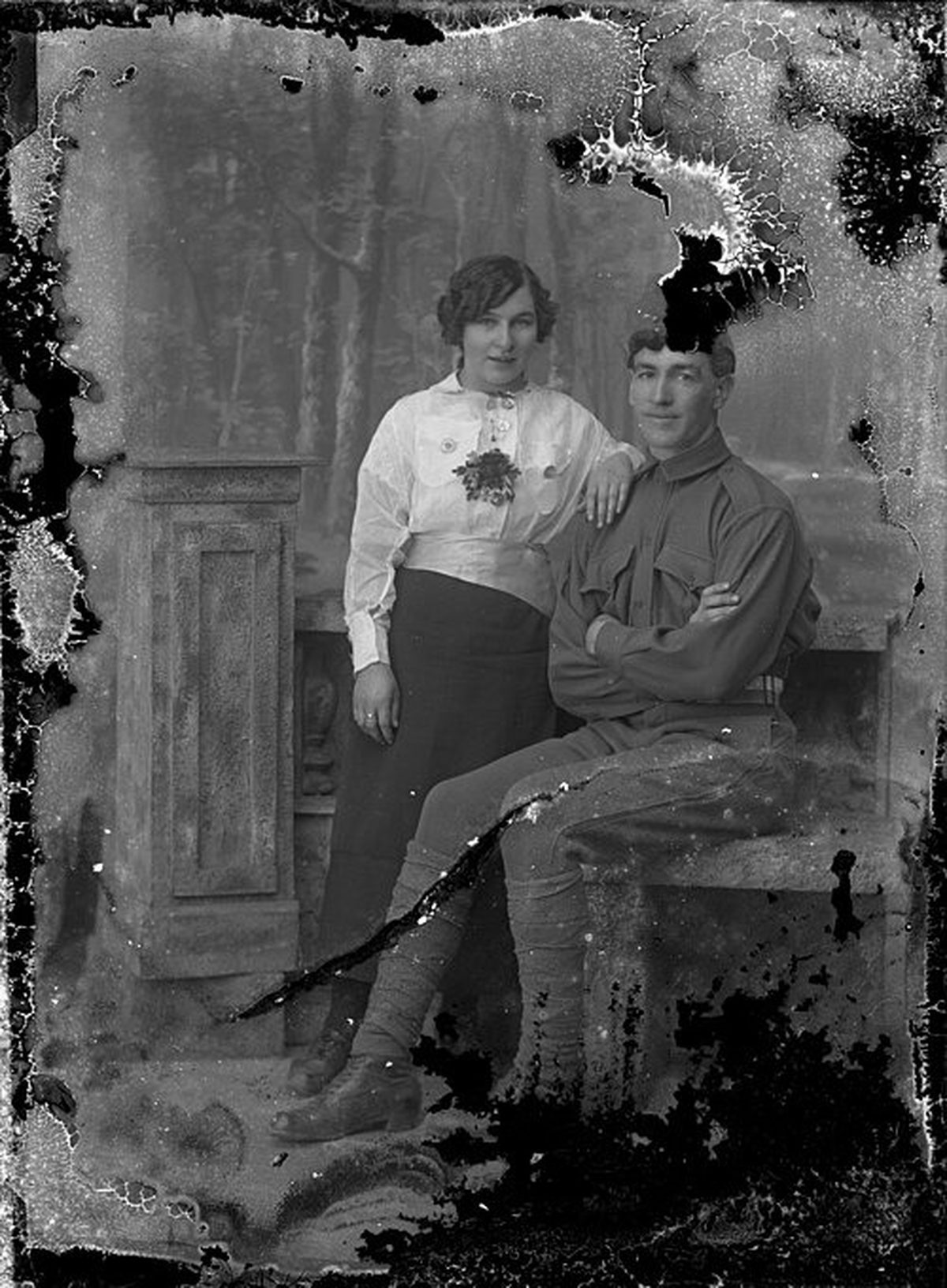
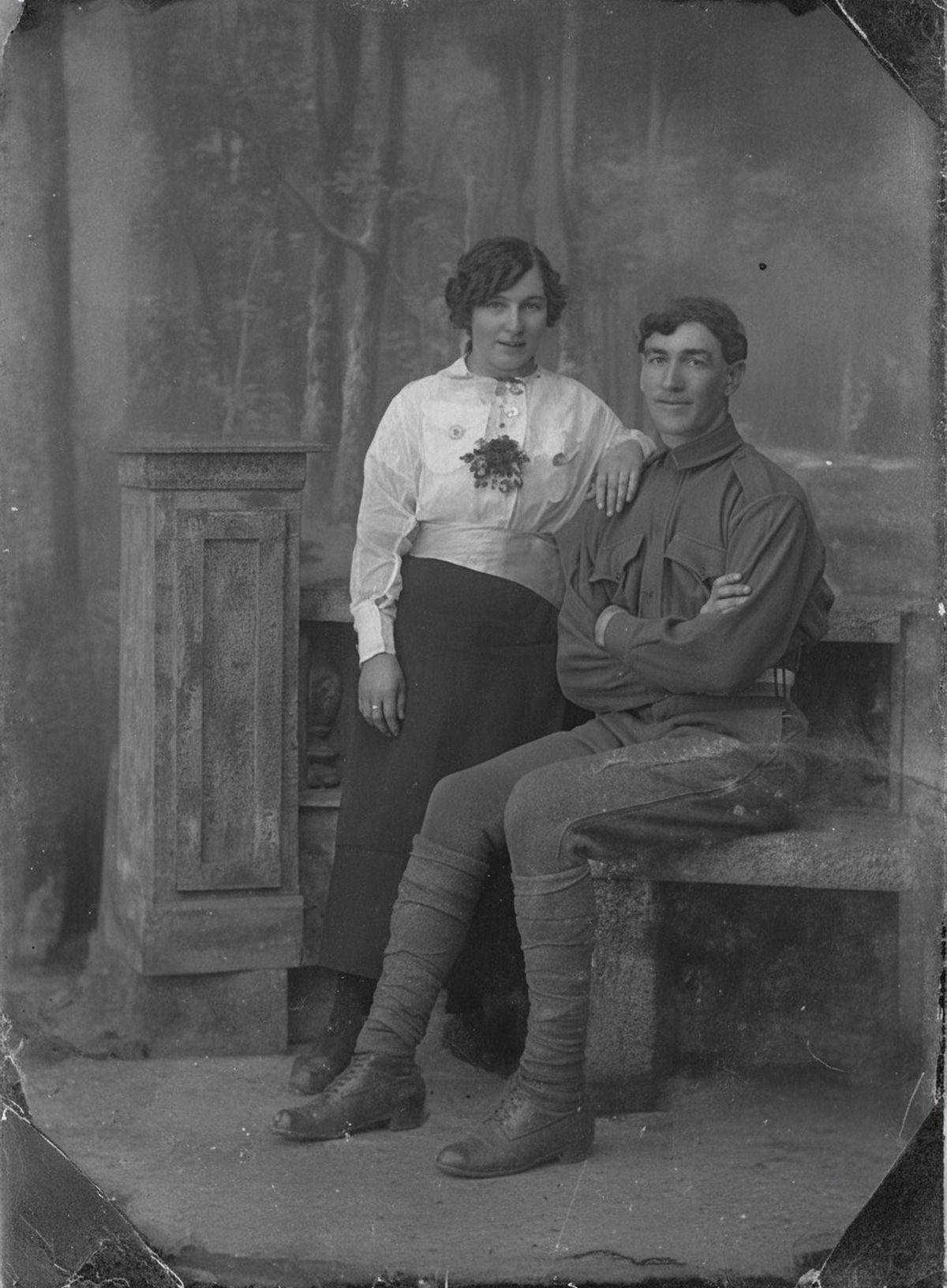
Digital work can neutralize the smoky veil, restore tonal separation, and rebuild limited burned margins around an otherwise surviving subject. Charred regions contain no recoverable image, and heat-warped faces may need interpretive reconstruction. Keep the untouched scan beside every result. Keep the untouched scan beside the result.
- 3 free previews a month
- No signup
- Ready in minutes
- One payment — nothing to cancel
How it works
Upload your photo
Drop in a scan or phone photo of the damaged print. Your original is never touched, and there's no signup.
Preview it free
See the restoration beside your photo in about a minute. Drag the slider and judge it for yourself before you spend a cent.
Keep what you love
Pay only for the results worth keeping, then download them in full resolution.
Preview your photo — freeWhat to know before restoring this photograph
Fire attacks a photograph two different ways, and they leave different problems behind. Smoke deposits a film of fine soot particles across the surface, dimming contrast under a gray or amber veil even in areas the flames never reached. Heat works on the object itself — blistering the emulsion, curling the paper, and charring edges to carbon.
The veil is the more forgiving half. Soot sits over an image that usually survives beneath it, and an even overall cast is exactly the kind of damage digital correction handles well. Charring is the unforgiving half: carbonized paper carries no image at all, on the surface or under it.
Resist the urge to clean the print before scanning. Soot particles are abrasive, and wiping them drags grit across softened emulsion, cutting scratches into a surface that had survived the fire itself. A print fused to frame glass by heat should stay with the glass until a conservator separates them; capture it through the glass as it is.
When the surface is too fragile for a flatbed, a careful copy-stand photograph in even light is the safer capture. Inspect the file closely for glare and clipped areas before the original goes back into storage.
From there, the restoration can neutralize the smoky veil, rebuild tonal separation, and reconstruct limited burned margins around a subject that mostly survived. Watch the draft closely wherever heat rippled or blistered the emulsion — straightening warped features means redrawing them, and a redrawn face is an interpretation.
Blackened regions deserve blunt expectations: the fill placed over charred loss is invented, guided only by what borders it. Sky and wall extend plausibly. A person who stood in the burned corner cannot be brought back, only imagined.
Decide early what the restored file is for. A screen copy for the family tolerates more reconstruction than a documentary record of what survived the fire; the second purpose argues for leaving char visible and clearing only the smoke.
Store the original and its scan with a note of what the restoration cleared versus rebuilt. After a fire that distinction is the whole story — which parts of the picture are surviving evidence and which are repairs made after the event.
The free preview shows how much of the haze lifts before you commit; charred areas stay honestly lost either way. If the subject comes back out of the smoke clearly enough to keep, export the versions you want and pay only at that step.
Questions about fire- and smoke-damaged photographs
Can you restore a photo damaged by fire and smoke?
Yes — AI is well suited to the smoky haze and amber cast a fire leaves behind, lifting the veil, restoring tonal separation, and rebuilding small burned margins around a subject that mostly survived. Where flame actually charred the paper, though, there is no image left underneath to recover, and a heat-warped face becomes an interpretation rather than a record. Compare every result against the original scan.
Can the burned or charred parts be brought back?
Not the areas that actually burned away — once flame has consumed part of the print, that detail is gone and anything drawn there is a plausible fill, not a recovery. What AI can do is clean the surrounding smoke damage so the surviving portion reads clearly, and gently rebuild a scorched border where enough nearby detail remains to guide it. Label any reconstructed region so viewers know which part is real.
How much does a restoration cost?
The preview is free. Full-resolution downloads are $7.99 per photo, and the rate drops the more you restore — down to $4.49 each on the largest batches. Each photo includes up to three restoration attempts, and downloads stay available for 30 days.
Will running this change or damage the photo I upload?
It never touches the file you keep. The editor generates a new restored version and leaves your uploaded scan intact. Save that original under its own filename and note anywhere the restoration rebuilt missing detail.
See what your photo can become
Upload it, preview the restoration free, and keep only the result that feels right.
Preview your photo — free- 3 free previews a month
- No signup
- Ready in minutes
- One payment — nothing to cancel