Colorize / wedding photo
Colorize an Old Wedding Photo Online
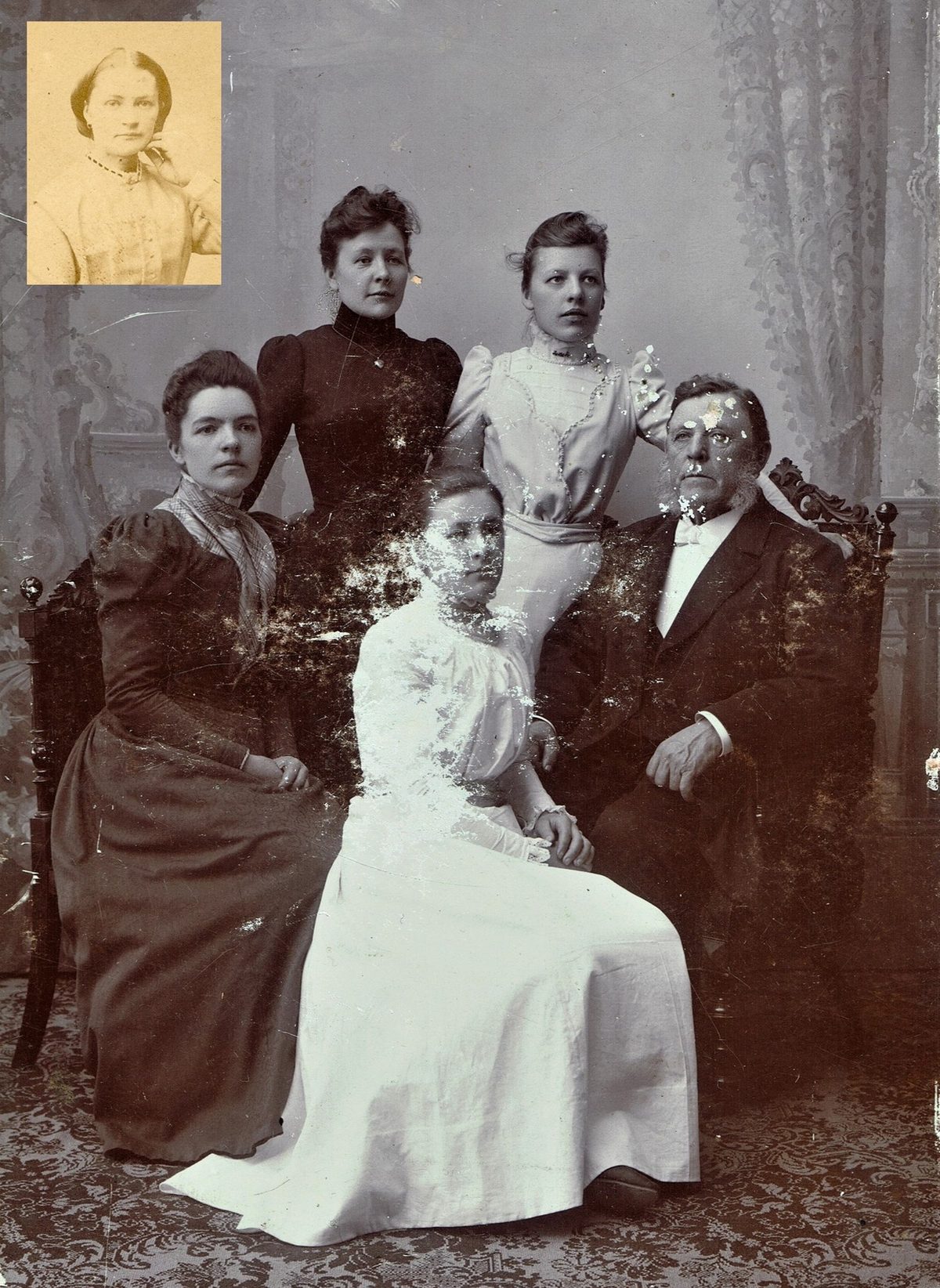
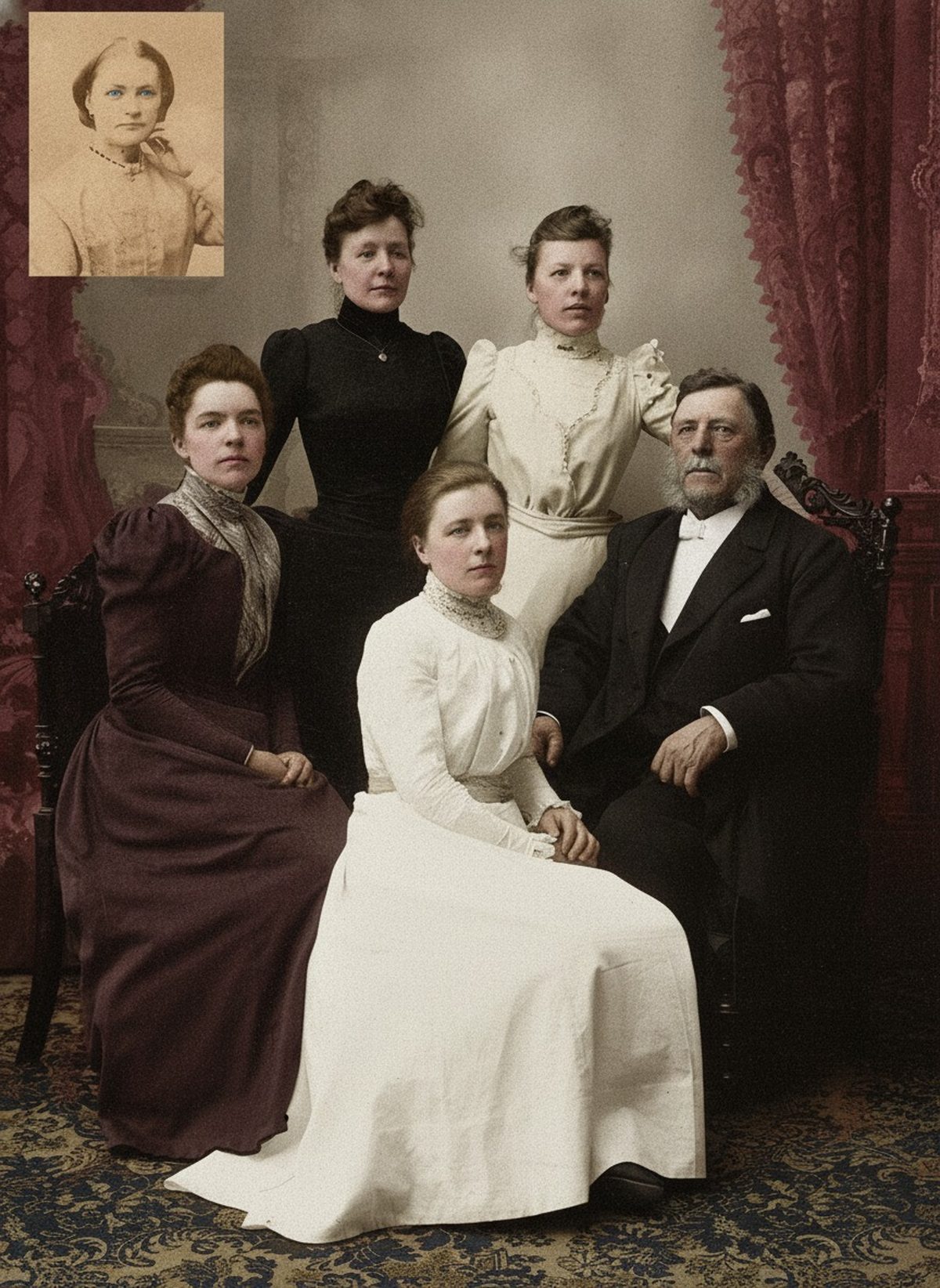
AI can add restrained skin and material color while preserving the luminous hierarchy of the couple and the texture of formal clothing. Bouquets and décor can only be proposed without corroboration. Keep the source alongside the color version and describe the new image as an interpretation. Keep the untouched scan beside the result.
- 3 free previews a month
- No signup
- Ready in minutes
- One payment — nothing to cancel
How it works
Upload your photo
Drop in a scan or phone photo of the damaged print. Your original is never touched, and there's no signup.
Preview it free
See the restoration beside your photo in about a minute. Drag the slider and judge it for yourself before you spend a cent.
Keep what you love
Pay only for the results worth keeping, then download them in full resolution.
Preview your photo — freeWhat to know before restoring this photograph
The instinct with a wedding photo is to assume the dress was white — and that assumption is exactly where colorization goes wrong. Depending on era, place, and family, brides married in cream, blue, gray, rose, or simply their best dark dress. A pale gown in grayscale could have been any of the lighter shades, and a dark one was not necessarily black.
Culture shapes the palette as much as period does. Many traditions favor red, gold, or richly embroidered wedding clothes, and in some families the wedding dress was the finest garment owned, in whatever color that happened to be. A colorization that defaults to Western white can quietly rewrite what the day actually looked like.
Bouquets, sashes, and decorations are guesses of the same kind. Nothing in a monochrome print records whether the flowers were pink or cream or the ribbon blue, and no amount of model confidence changes that. The only things that do are sources: an album caption, a surviving invitation, a pressed flower, a relative who was there.
Scan at 600 dpi and capture the album page or frame backing along with the print — wedding photos attract exactly the kind of notes, from venue and names to the colors themselves, that turn a guessed palette into an informed one. Keep the untouched capture separate from every working copy.
Where the model stands on firm ground is structure: skin under studio light, the tonal hierarchy that keeps the couple luminous against the room, the difference between lace, satin, and wool tailoring. A good draft preserves the white-on-white detail of the gown — embroidery, pattern, sheen — instead of flattening every highlight into one blank tone.
Be explicit about which parts of the color version are which. Skin and dark tailoring are plausible interpretation; the gown's exact shade, the flowers, and the room are proposals unless something confirms them. When evidence exists, feed it in — 'the bouquet was carnations, the bridesmaids wore yellow' steers the draft toward the actual day.
The subject-specific trap is the gown itself. A colorization that decides the dress was pure white can erase the cream tint or silver embroidery that made it particular. Compare draft and scan at full size across the whole dress before accepting anything, and revise the request if delicate detail has gone flat.
Share the color version labeled as an interpretation, with the monochrome scan kept as the record of the day. Note which colors were documented, which were remembered, and which the model proposed — a wedding photo tends to travel through a family, and that note should travel with it.
Try the free preview: upload the scan, look at the drafted palette, and judge it against whatever the family knows before paying for anything — only exports cost money. When the color respects both the couple and the uncertainty, keep it; the untouched original stays beside it either way.
Questions about historic wedding photographs
Is it possible to colorize an old black-and-white wedding photo?
Yes. AI can add restrained, era-aware color to skin and formal clothing while preserving the fine white-on-white detail of the gown and the texture of dark tailoring. Bouquet and décor colors, though, are informed guesses rather than record — nothing in a monochrome print says which flowers were pink or cream. Keep the result labeled as an interpretation next to the untouched scan.
Will the AI just make up the colors of the flowers and decorations?
It proposes plausible period colors, but for undocumented details like bouquets, jewelry, and venue décor those are estimates, not recovered facts. If a family note records the wedding colors, add it as a reference so the palette leans on real evidence. Treat the colorized image as one considered version, not a definitive record.
How much does a restoration cost?
The preview is free. Full-resolution downloads are $7.99 per photo, and the rate drops the more you restore — down to $4.49 each on the largest batches. Each photo includes up to three restoration attempts, and downloads stay available for 30 days.
Do I keep the untouched original?
Always. Nothing overwrites your source — the result is a fresh copy you can accept or discard. Store the original scan apart from the restored version and record which areas were reconstructed.
See what your photo can become
Upload it, preview the restoration free, and keep only the result that feels right.
Preview your photo — free- 3 free previews a month
- No signup
- Ready in minutes
- One payment — nothing to cancel