Colorize / black and white photo
Colorize a Black-and-White Photo Online
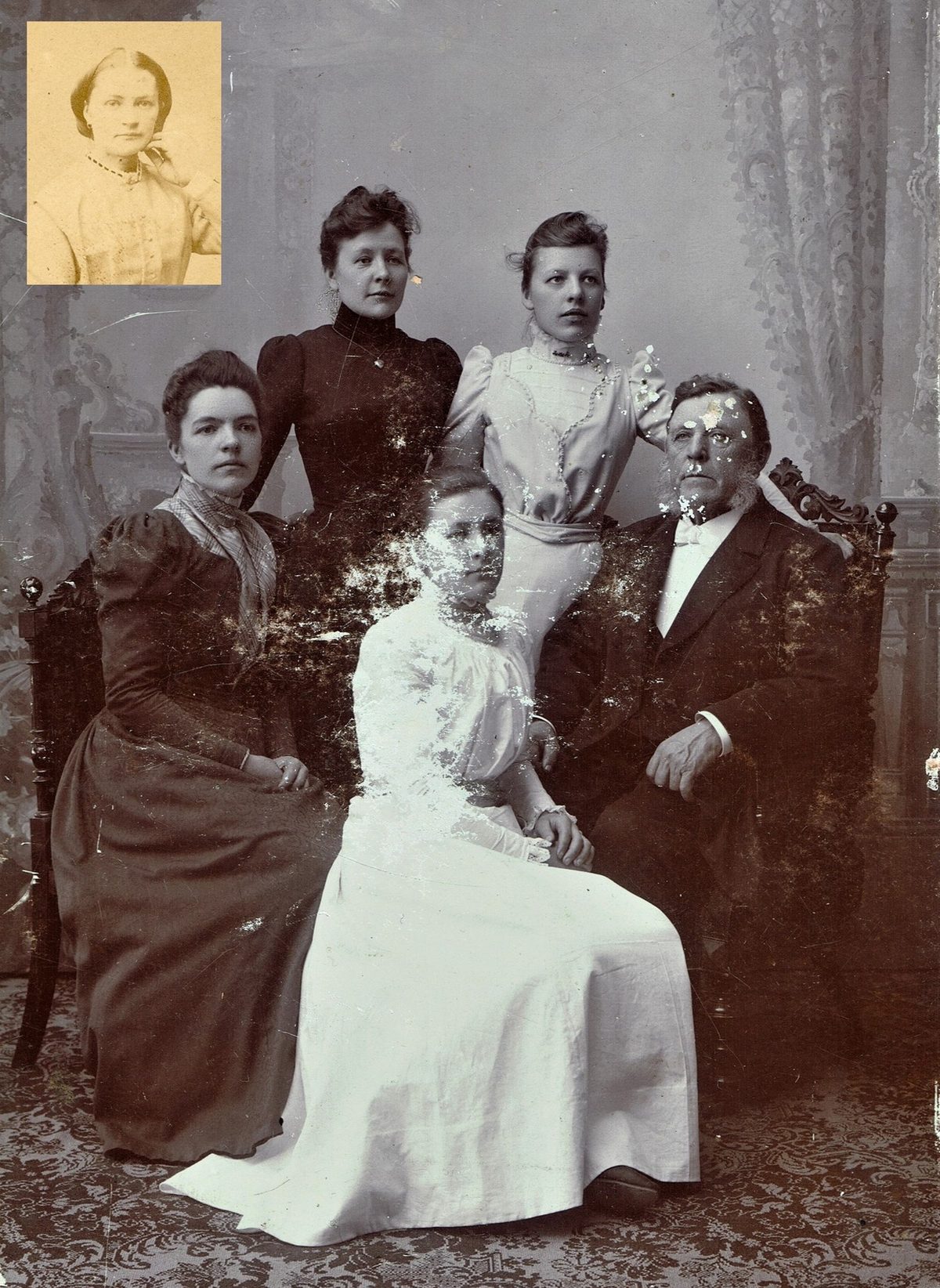
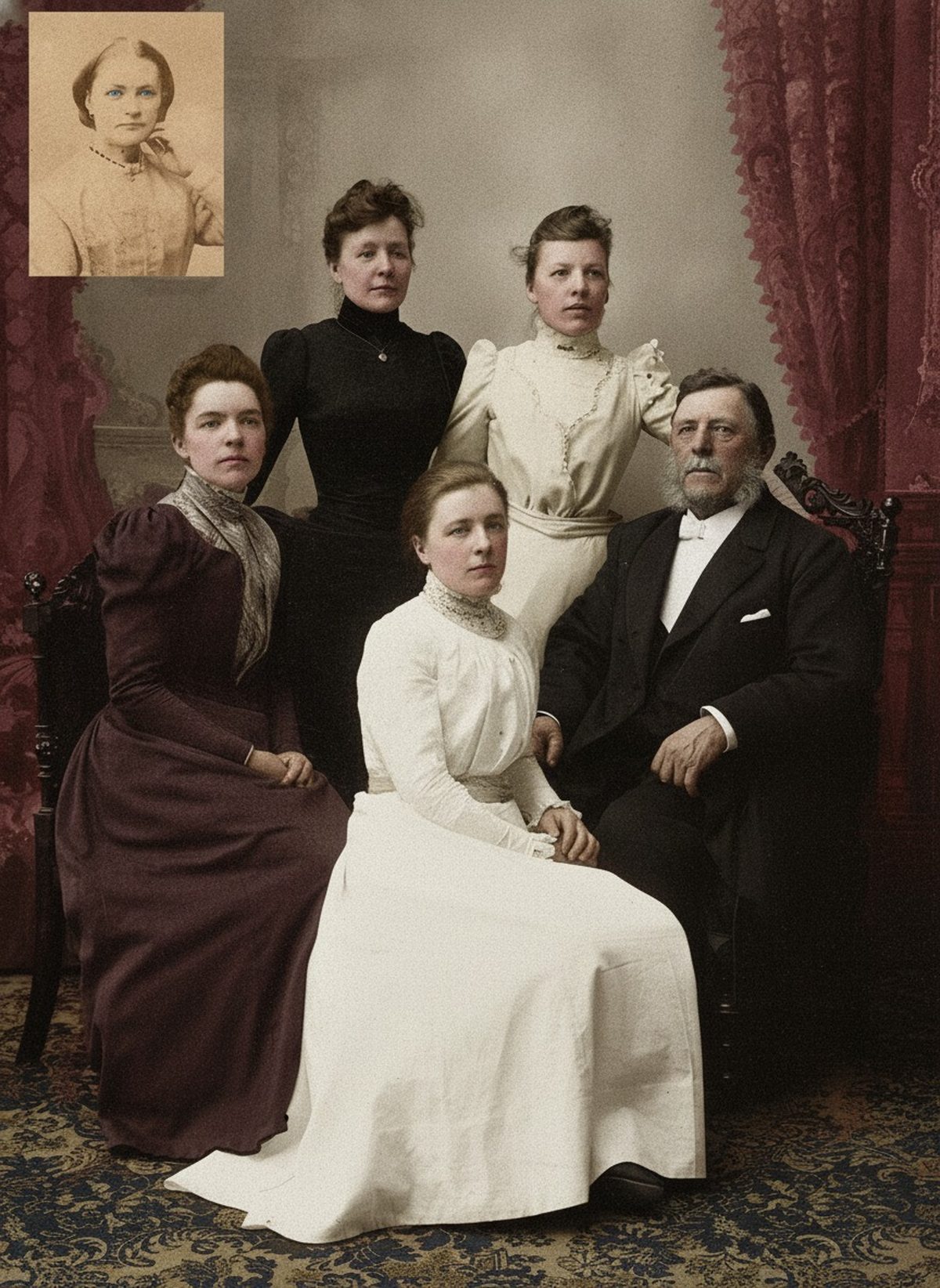
AI can propose coherent skin, fabric, foliage, and architectural color while maintaining the faces and light structure of the source image. Uniform insignia, fashion research, and family memory can improve a draft, but exact historical colors remain uncertain unless another source documents them. Keep the untouched scan beside the result.
- 3 free previews a month
- No signup
- Ready in minutes
- One payment — nothing to cancel
How it works
Upload your photo
Drop in a scan or phone photo of the damaged print. Your original is never touched, and there's no signup.
Preview it free
See the restoration beside your photo in about a minute. Drag the slider and judge it for yourself before you spend a cent.
Keep what you love
Pay only for the results worth keeping, then download them in full resolution.
Preview your photo — freeWhat to know before restoring this photograph
A black-and-white photograph records how much light reached the film, not what color that light was. Two dresses — one red, one green — can land on the same middle gray, and nothing in the print will ever tell you which was which. Colorization therefore begins from a genuine gap: the hue was never captured, only the brightness.
The film stock complicates the guesswork further. Orthochromatic emulsions, common in earlier photography, were largely blind to red — lips and ruddy cheeks often print unnaturally dark, and a red garment can read nearly black. Panchromatic films see red but frequently render blue skies as blank white. So a dark gray is not proof of a dark color, and a pale sky in the print says little about the actual day.
That is why an AI colorization is an educated interpretation, not a recovery of fact. The model reasons from context — skin is skin-toned, foliage is green, brick behaves like brick — and drafts a palette that is plausible for the scene. Where nothing outside the photograph documents a color, the draft can only be judged for believability, never verified.
Begin with a careful capture. Scan the print in color at 600 dpi even though the image is monochrome; paper tone, sepia toning, and any hand tinting are real evidence worth keeping. Store that file untouched under a stable name and let the colorization run on a duplicate.
The draft tends to be most convincing where context is strongest: faces and hands, foliage and sky, wood and stone, common materials with predictable color behavior. It is weakest exactly where the stakes are highest — a particular garment, a painted door, a vehicle — because those could genuinely have been almost anything.
Bring outside evidence whenever you have it. A relative's memory of the coat, a written description, or a surviving swatch of fabric constrains the palette far better than the grayscale can. When no such source exists, prefer muted, era-plausible tones over saturated modern ones; restraint reads as photographic, while saturation reads as painted.
The specific thing to watch on a monochrome print is tonal logic. If the colorized version brightens or darkens an area to make its chosen hue work, it has started editing the record rather than tinting it. Compare the draft against the scan at full size and confirm the light — highlights, shadows, the fall of the key light — still matches the original exposure.
Keep the monochrome scan as the primary historical record and treat the color version as a labeled companion to it. A short note listing which colors came from memory or documents and which were the model's proposal will spare a future viewer from mistaking a plausible guess for a known fact.
The preview is free, so you can see the drafted palette beside your original before deciding anything. If a version feels true to the person and the scene, export it and pay only for what you keep; if a hue rings false, revise the request — or let the photograph stay honestly gray.
Questions about black-and-white photographs
Is it possible to colorize an old black-and-white photo?
Yes. AI can propose believable skin, clothing, foliage, and building color while keeping the faces and lighting of your original scan intact. The one honest limit is that grayscale doesn't record hue, so the exact original colors are a best guess unless a written or photographic source documents them.
Are the colors real or just invented?
They're an informed reconstruction, not a record. AI reads the tones and context of the photo to choose colors that fit the era and scene, but a red dress and a green dress can look identical in black and white. Where a color matters—a uniform, a flag, a school's colors—check it against family memory or another source rather than trusting the draft.
How much does a restoration cost?
The preview is free. Full-resolution downloads are $7.99 per photo, and the rate drops the more you restore — down to $4.49 each on the largest batches. Each photo includes up to three restoration attempts, and downloads stay available for 30 days.
Does the restorer edit my original photo?
No. You upload a digital copy and the AI works only on that copy — the physical photo and your original scan are never altered. Store the untouched scan separately so you always have it to compare against.
See what your photo can become
Upload it, preview the restoration free, and keep only the result that feels right.
Preview your photo — free- 3 free previews a month
- No signup
- Ready in minutes
- One payment — nothing to cancel