Colorize / portrait
Colorize an Old Black-and-White Portrait
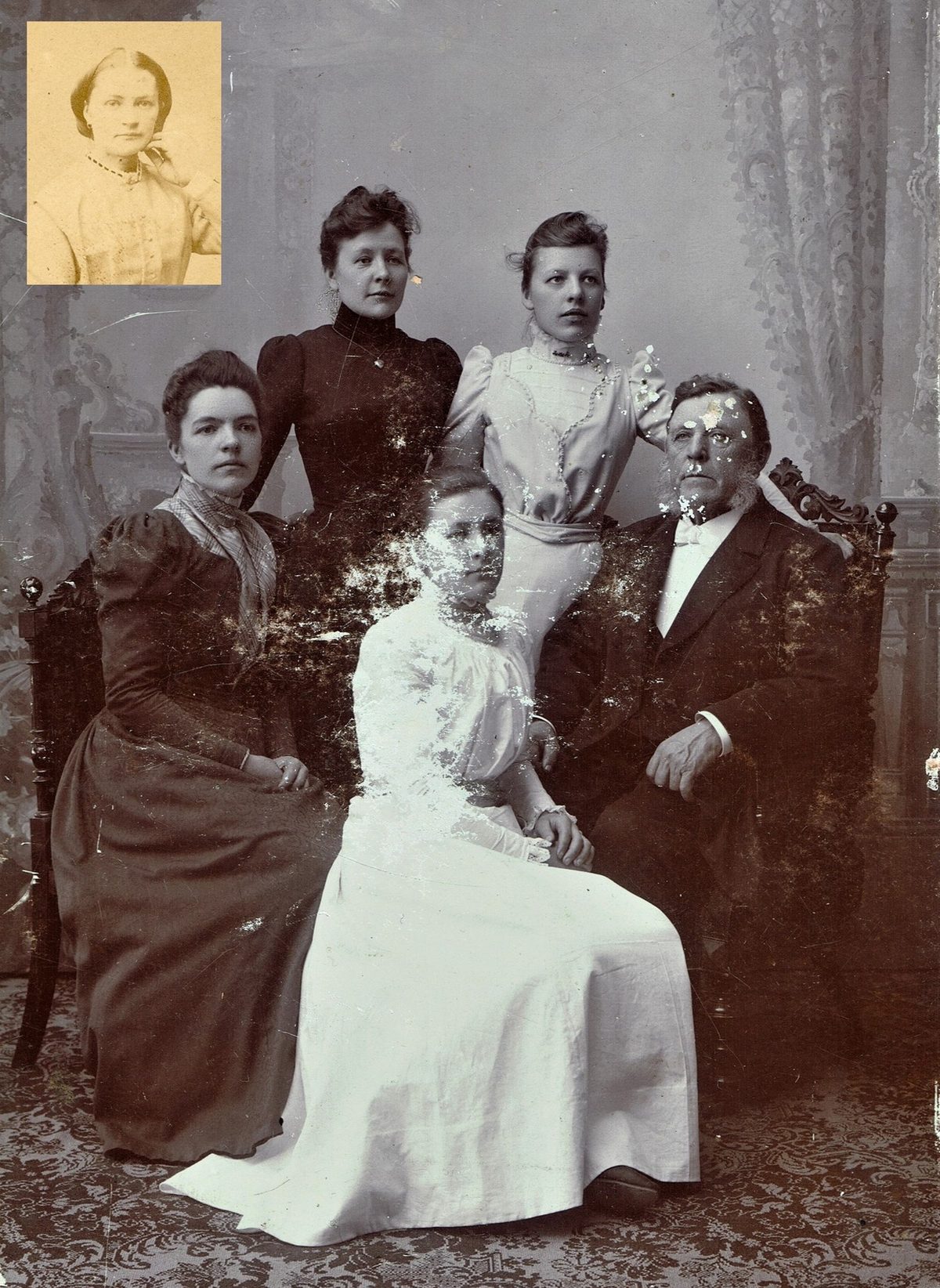
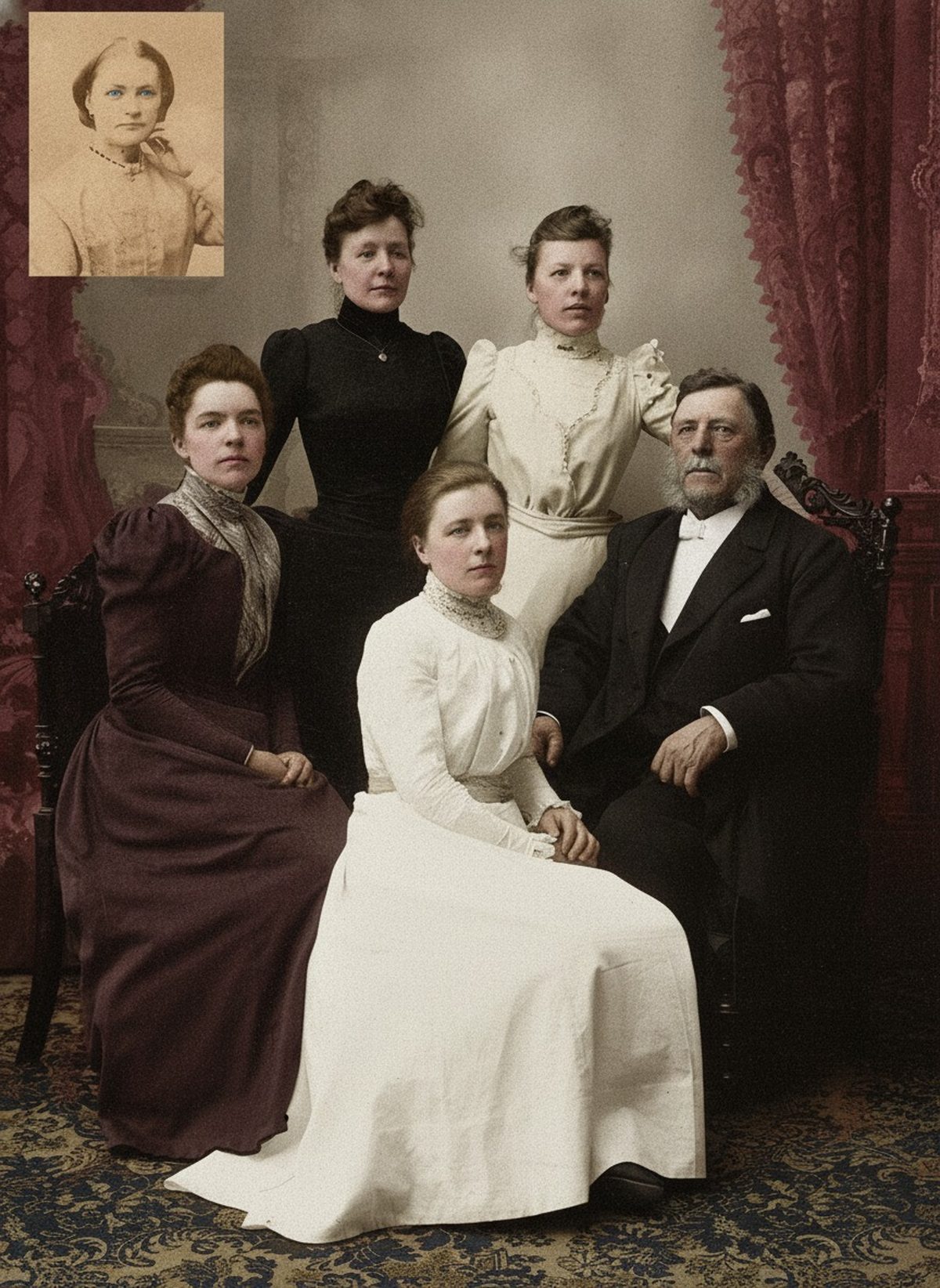
AI can add a restrained, natural palette to a black-and-white portrait, repairing minor fading while keeping the face and pose exactly as they are. Skin colors well from context; clothing color and eye color the photo never recorded are educated guesses. Check what's knowable, label the result as colorized, and keep the original scan.
- 3 free previews a month
- No signup
- Ready in minutes
- One payment — nothing to cancel
How it works
Upload your photo
Drop in a scan or phone photo of the damaged print. Your original is never touched, and there's no signup.
Preview it free
See the restoration beside your photo in about a minute. Drag the slider and judge it for yourself before you spend a cent.
Keep what you love
Pay only for the results worth keeping, then download them in full resolution.
Preview your photo — freeWhat to know before restoring this photograph
A portrait is the case colorization handles best, because a portrait is mostly face. Studio lighting is even, the pose is still, and skin, hair, and lips carry strong contextual cues the model reads confidently — so a stiff black-and-white studio portrait can come to feel present and human in a way a busy scene rarely does.
The grayscale still records only brightness. It tells the model how light or dark the skin, the coat, the backdrop were, and nothing about their hue, so the palette it adds is inferred: skin toward believable warmth, formal clothing toward the darker, muted ranges period portraits favored, backdrops toward plausible studio greys and browns. Convincing, but never verifiable from the print alone.
Skin is where the model is most reliable, and on a portrait skin dominates the frame. Keep it natural and slightly warm rather than saturated — a portrait subject rendered too ruddy or too smooth stops looking like the person and starts looking like an illustration, and restraint is what preserves recognition.
Clothing is where the guessing lives. A dark suit could be charcoal, navy, or deep brown at the same grayscale value, and a dress the family remembers as green may read identically to blue. This is where a relative's memory, or a note on the back of the print, is worth more than any inference the model can make.
Eye color is the honest exception that portraits invite people to study, because a portrait puts the eyes front and center. Grayscale cannot separate brown eyes from blue at the same brightness, so unless someone remembers or a record survives, the eyes the draft gives are a guess — a plausible one, but a guess.
The most important rule on a portrait is to color the person without changing them. If a draft smooths the lines of a face, softens a distinctive feature, or shifts an expression as it adds color, it has traded the individual for a palette. Keep the face close to the source and prefer the quieter version whenever recognition is at stake.
Where the portrait is also damaged — scratches, spots, a fade — colorization can run alongside the repair, cleaning the surface and adding color in one pass. Judge the two together, and if the color convinces but the repair overreaches on a feature, treat that feature as reconstructed rather than recovered.
Label the result colorized wherever it travels, and keep the black-and-white scan as the primary record. A short note on which colors were confirmed and which were interpreted turns a pretty guess into a documented portrait.
The preview is free: upload the scan, see the portrait in color, and show it to anyone who knew the sitter. You pay only for the copies you keep, and any correction they offer is exactly the evidence the next draft needs.
Questions about black-and-white portraits
Can you colorize an old black-and-white portrait?
Yes, and portraits are the case colorization handles best. Even studio lighting and a still pose let AI read skin, hair, and lips confidently, adding a restrained, natural palette while keeping the face and pose faithful. The guesses are in clothing and eye color, which the grayscale can't pin down, so confirm what's knowable and label the result as colorized.
Why can't the eye color be trusted?
Because grayscale records brightness, not hue, and brown and blue eyes can sit at the same brightness. A portrait draws attention straight to the eyes, so it's the detail people study most, but unless a relative remembers or a record survives, the eye color the draft chooses is an educated guess. Treat it as an interpretation to enjoy rather than a documentary fact about the sitter.
How much does a restoration cost?
The preview is free. Full-resolution downloads are $7.99 per photo, and the rate drops the more you restore — down to $4.49 each on the largest batches. Each photo includes up to three restoration attempts, and downloads stay available for 30 days.
Is my original scan safe?
Yes. The colorization is a separate file, so your scan stays exactly as it was. Keep the raw black-and-white scan archived on its own as the primary record, and give the color version a new name so the two are never confused.
See what your photo can become
Upload it, preview the restoration free, and keep only the result that feels right.
Preview your photo — free- 3 free previews a month
- No signup
- Ready in minutes
- One payment — nothing to cancel